 Marcus Vance

Setting up CORS in FastAPI can be tricky, especially when dealing with fastapi cors configuration pitfalls. Many developers struggle with allowing specific origins, managing credentials, and ensuring secure cookie handling, which can lead to frustrating errors and blocked requests. This article focuses on common mistakes and how to avoid them, providing clear guidance for backend engineers, full-stack developers, and Python learners.
CORS (Cross-Origin Resource Sharing) is essential for enabling communication between frontend and backend services hosted on different domains. FastAPI simplifies this process with built-in middleware, but misconfigurations can block legitimate requests. Understanding how FastAPI handles CORS is the first step to avoiding these pitfalls.
By addressing allow_origins misconfigurations, credential handling, and secure cookie practices, this guide equips you with the knowledge to troubleshoot and secure your FastAPI CORS setup effectively. Whether you're new to FastAPI or looking to refine your backend security, these insights will help you avoid common mistakes and ensure smooth cross-origin communication.
Understanding CORS in FastAPI
Cross-Origin Resource Sharing (CORS) is a browser security mechanism that restricts how web applications can interact with resources from different domains. When a frontend application makes a request to a backend API hosted on a different origin, the browser enforces CORS policies to prevent unauthorized access and potential security risks. Proper CORS configuration is essential for ensuring seamless communication between frontend and backend services, especially in modern web applications.
What Is CORS and Why It Matters?
CORS is designed to prevent malicious websites from making unauthorized requests to another domain’s resources. When a request is made from one origin to another, the browser checks the response headers for CORS-related policies, such as `Access-Control-Allow-Origin`, to determine if the request should be allowed. If the headers do not explicitly permit the origin, the browser blocks the request, leading to a CORS error. This mechanism is crucial for protecting user data and preventing cross-site request forgery (CSRF) attacks.
How FastAPI Handles CORS Requests
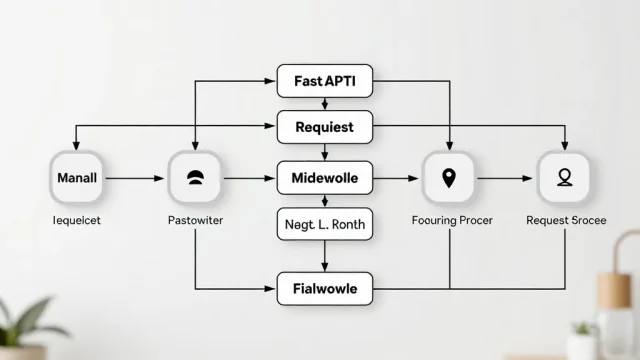
FastAPI simplifies CORS configuration by providing the `fastapi.middleware.cors.CORSMiddleware` class, which allows developers to define CORS policies in a centralized manner. This middleware can be added to the FastAPI application to handle preflight requests and set appropriate headers for allowed origins, methods, and headers. Misconfigurations, such as incorrect `allow_origins` settings or improper use of `allow_credentials`, can result in unexpected behavior, including blocked requests or security vulnerabilities. It is important to understand how FastAPI processes CORS requests to avoid common pitfalls and ensure secure, functional API endpoints.
Common CORS Configuration Pitfalls in FastAPI
Misconfiguring CORS in FastAPI can lead to unexpected behavior, security risks, and blocked requests. Understanding common pitfalls is essential for ensuring proper cross-origin communication while maintaining application security.
- Incorrect use of `allow_origins` with wildcard (`*`) can cause unexpected behavior.
- The `allow_credentials` flag must be used with `allow_origins` for secure cookies.
- Overriding CORS settings in production can lead to security vulnerabilities.
- Missing `allow_methods` or `allow_headers` can block necessary HTTP verbs or headers.
Allow Origins Misconfigurations
Using the wildcard `*` in `allow_origins` can grant access to any origin, which may inadvertently expose your API to cross-site request forgery (CSRF) attacks. While convenient for development, this approach should be avoided in production. Instead, explicitly list trusted origins to ensure stricter control and enhance security.
If you need to support cookies in cross-origin requests, the `allow_credentials` flag must be set to `True`. However, this flag can only be used alongside a specific list of origins in `allow_origins`, not the wildcard `*`. Misusing this combination can lead to insecure cookie handling and potential data leakage.
Credentials and Security Considerations
Overriding CORS settings in production environments can introduce critical security vulnerabilities. For instance, defaulting to `*` in `allow_origins` or disabling security checks can expose your API to unauthorized access and data interception. Always configure CORS settings explicitly and avoid relying on default behaviors.
Omitting `allow_methods` or `allow_headers` can prevent essential HTTP verbs (e.g., `POST`, `PUT`) or headers (e.g., `Content-Type`) from being used in cross-origin requests. This can block legitimate API calls and lead to functionality issues. Always define these parameters explicitly to ensure proper CORS support.
Troubleshooting Allow Origins Errors
Troubleshooting Allow Origins errors in FastAPI requires a careful review of how origins are configured. When an origin is not properly allowed, browsers block the request, leading to CORS errors. This section outlines key steps to resolve these issues and avoid common misconfigurations.
- Ensure the origin is explicitly listed in `allow_origins` if it's not a wildcard.
- Use `allow_origins` with a list of domains instead of a single string.
- Avoid using `*` unless all origins are trusted, and even then, use it cautiously.
- Check for typos in domain names and ensure correct protocol (http vs https).
Fixing Allow Origins Not Working
Fixing Allow Origins Not Working often starts with verifying that the origin is correctly specified in the `allow_origins` list. If the origin is not a wildcard (`*`), it must be explicitly listed. For example, if your frontend is hosted at `https://frontend.example.com`, you must include that exact domain in the configuration. Missing or mistyped entries will result in CORS errors, so always double-check the spelling and protocol.
Best Practices for Allow Origins Configuration
Best Practices for Allow Origins Configuration emphasize precision and security. Always use a list of trusted domains rather than a single string to avoid accidental misconfigurations. When using `*`, it should be a last resort, as it allows all origins, which can expose your API to potential security risks. Also, ensure that the protocol (http or https) matches the frontend's URL exactly. These steps help prevent common errors and maintain a secure CORS setup.
Handling Credentials and Secure Cookies
Handling credentials and secure cookies in FastAPI requires careful configuration to balance functionality and security. The `allow_credentials` flag plays a crucial role in enabling secure communication between the client and server, but it must be used with caution to avoid exposing your application to vulnerabilities.
- Set `allow_credentials` to `True` only if you're using secure cookies, such as those for authentication or session management.
- Always pair `allow_credentials` with `allow_origins` to ensure the browser accepts the request and prevents CORS errors.
- Omitting `allow_origins` when using `allow_credentials` can lead to unexpected browser behavior, as the origin is not validated.
- Use `allow_credentials` in production environments only after thoroughly assessing CSRF risks and implementing additional security measures.
Allow Credentials and Cookie Security
The `allow_credentials` flag in FastAPI allows the browser to send cookies and credentials with cross-origin requests. This is essential for applications that rely on authentication tokens or session cookies. However, enabling this flag without proper validation can expose your API to cross-site request forgery (CSRF) attacks. Therefore, it is recommended to use `allow_credentials` in conjunction with `allow_origins` to ensure that only trusted origins can access sensitive data.
Avoiding Common Allow Credentials Errors
A common mistake when using `allow_credentials` is not specifying `allow_origins`, which can result in the browser blocking the request. This is because the browser enforces a strict origin policy when credentials are involved. To avoid this, always define the exact origins you want to allow in the `allow_origins` list. Additionally, avoid using wildcard (`*`) in `allow_origins` in production, as it can introduce security risks. Instead, specify the exact domains that are permitted to interact with your API.
Best Practices for FastAPI CORS Configuration
Securing and testing your FastAPI CORS configuration is essential to avoid vulnerabilities and ensure smooth cross-origin communication. By following best practices, you can prevent misconfigurations and maintain a robust backend system.
- Always specify explicit origins, especially in production environments.
- Use `allow_credentials` only when necessary and pair it with `allow_origins`.
- Avoid using wildcards in `allow_origins` unless absolutely required.
- Keep CORS settings secure by limiting allowed methods and headers.
- Test CORS configurations with tools like Postman or browser developer tools.
Securing Your FastAPI CORS Setup
Securing your FastAPI CORS setup involves limiting access to only trusted origins. Instead of using broad wildcards like `*`, define specific domains to prevent unauthorized access. This reduces the attack surface and ensures that only intended clients can interact with your API. Always validate and sanitize input when handling origin headers to prevent header injection attacks.
Testing and Debugging CORS Issues
Testing and debugging CORS issues should be done with precision to identify misconfigurations. Tools like Postman can simulate requests and show responses, helping you catch errors in headers or methods. Browser developer tools also provide insights into network requests and CORS policy violations. Regularly test your setup in different environments, especially before deployment, to ensure it behaves as expected.
Frequently Asked Questions
How do I fix the `allow_origins` error in FastAPI?
Ensure the `allow_origins` list contains the exact origin URL. Use `allow_origin_regex` for complex patterns. Avoid typos and ensure the origin is properly formatted.
Why am I getting a CORS error when using credentials?
The `allow_credentials` flag must be set to `True` when using credentials. Ensure `allow_origins` includes the origin where the request is coming from.
Can I use `*` in `allow_origins` for development?
Using `*` is acceptable for development purposes but not for production. It allows all origins, which can expose your API to security risks.
What should I do if my CORS configuration is blocking secure cookies?
Set `allow_credentials` to `True` and ensure `allow_origins` includes the secure origin. Avoid using `*` in production to maintain control over allowed origins.
Final Thoughts
Properly configuring CORS in FastAPI is essential for secure and functional API interactions. Always validate your settings, especially when dealing with credentials and secure cookies.
Implement best practices like explicit origin listing and regular testing to avoid common pitfalls. This ensures your FastAPI application is both safe and reliable.